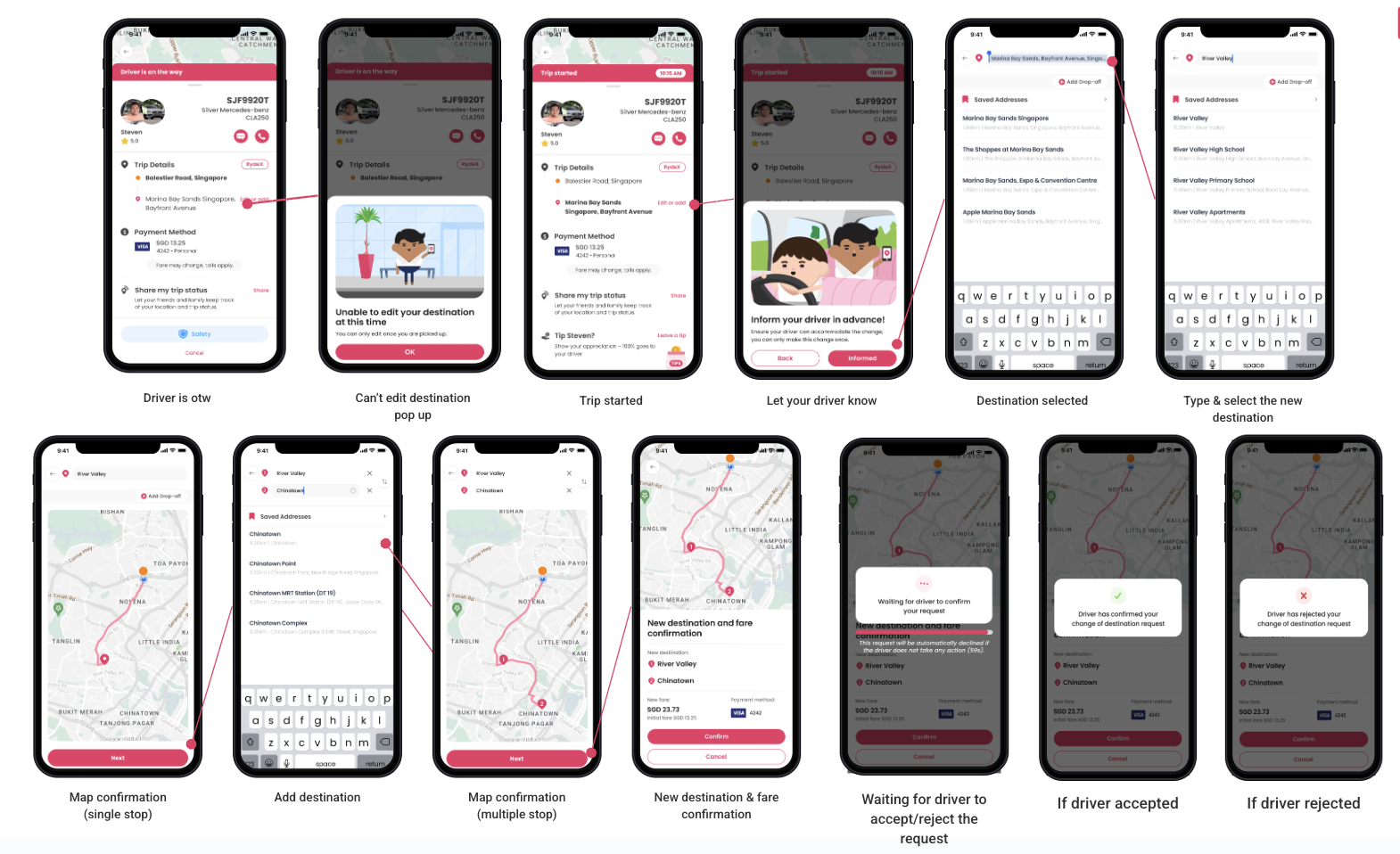
What is the process for adding/editing a destination after a trip has started?
- The trip has started.
- The rider needs to let their driver know.
- The destination is selected.
- The rider types and selects the new destination.
- There will be a map confirmation (for a single stop).
- The rider can add another destination, leading to a map confirmation (for multiple stops).
- New destination and fare confirmation will be displayed.
- The rider waits for the driver to accept or reject the request.
- If the driver accepts, the trip details are updated, and the add/edit destination fee is reflected on the rider receipt.
- If the driver rejects, the previous trip details remain.